Maintenance mode
Set MAINTENANCE_MODE=true and restart Hub. Hub pages plus /embed, /view, and /edit rewrite to /maintenance and return HTTP 503, with an optional Retry-After header. The address bar still shows the original path.
Share links (/share), Slack (/slack), and /api stay up. Use this for planned Hub downtime, not for a full API outage.
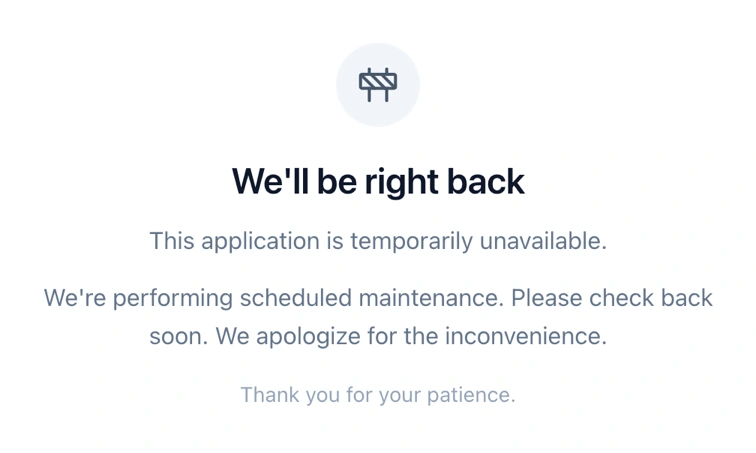
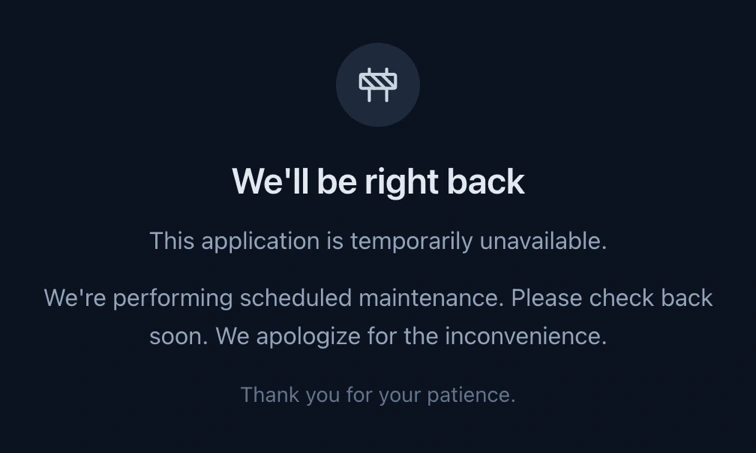
The page follows the visitor's light or dark system setting. It does not show the HTTP status. A construction icon sits above the heading, then the two paragraphs, then the quieter closing line.
Turn it on
- Set
MAINTENANCE_MODE=trueinhub/.envor the process environment. Any other value, includingfalseor empty, leaves the site up. - (Optional) Set
MAINTENANCE_RETRY_AFTER_SECONDSto a non-negative integer. Hub sends it as theRetry-Afterheader. An invalid value is omitted. - (Optional) Override the page copy. Empty values fall back to the defaults below.
- Restart the process. Local
pnpm devdoes not reload.envuntil you stop and start it again.pnpm run:standalonedoes not readhub/.env; export the variables in the shell or the container. - Open a Hub route such as
/formsand confirm 503 in the browser network panel. Do not use/sharefor this check. - To restore service, remove
MAINTENANCE_MODEor set it to anything other thantrue, then restart again.
Limitations
These paths are excluded so the page can render, or so they stay available:
/maintenance— otherwise the rewrite would loop. It setsrobotstonoindex, nofollow./shareand/slack— a published share link stays up./api— integrations keep calling Hub API routes unless the API process is down separately./_next/static,/_next/image,favicon.ico, andassets— CSS, scripts, and icons keep loading.
That is expected. A 503 for every API needs a separate policy (gateway, or your own route handling). It is not part of this switch.
Page copy
MAINTENANCE_CARD_DESCRIPTION and MAINTENANCE_BODY are two paragraphs. MAINTENANCE_FOOTER is the quieter line under them. “Powered by Endatix” follows ENDATIX_SHOW_POWERED_BY.
One language per deployment. Hub does not read Accept-Language for this page. Set the six copy variables to the language you want everyone to see. Per-respondent language is respondent access denial, not maintenance mode.
MAINTENANCE_TITLE=Volveremos enseguida
MAINTENANCE_CARD_DESCRIPTION=Esta aplicación no está disponible temporalmente.
MAINTENANCE_BODY=Estamos realizando un mantenimiento programado. Vuelva a intentarlo pronto.
MAINTENANCE_FOOTER=Gracias por su paciencia.
MAINTENANCE_METADATA_TITLE=Mantenimiento programado
MAINTENANCE_METADATA_DESCRIPTION=La aplicación no está disponible temporalmente mientras realizamos el mantenimiento.
Quote the values if you export them in a shell. Spaces would otherwise split the assignment.
Set to true to enable the rewrite. Anything else means normal operation.
Non-negative integer, sent as Retry-After (seconds). Unset or invalid means no header.
Main heading.
First paragraph under the heading.
Second paragraph.
HTML title.
Meta description.
Ignored. The page no longer shows a badge.
If it does not appear
- The value is not exactly
true, or the process was not restarted after the.envchange. - The URL is excluded.
/sharestaying up is the matcher, not a failed deploy. - Styles or icons missing:
/_next/staticorfavicon.icois being rewritten. Those paths must stay excluded.