Submission expiration
When a respondent opens a form but does not finish in one sitting, Endatix keeps a partial submission so they can return and continue. Session expiry controls how many hours that resume window lasts.
After the session expires, the partial submission is discarded. If the respondent returns later, they start a new submission.
Configure session expiry at two levels:
| Level | Where | Effect |
|---|---|---|
| Organization default | Settings → Organization → Forms | Applies to every form in the workspace unless a form overrides it. |
| Per-form override | Form Overview (form details) | Replaces the organization default for that form only. |
At the organization level, leave the field empty for sessions that never expire.
At the form level, leave the field empty (or use Restore default) to inherit the organization default.
Organization default
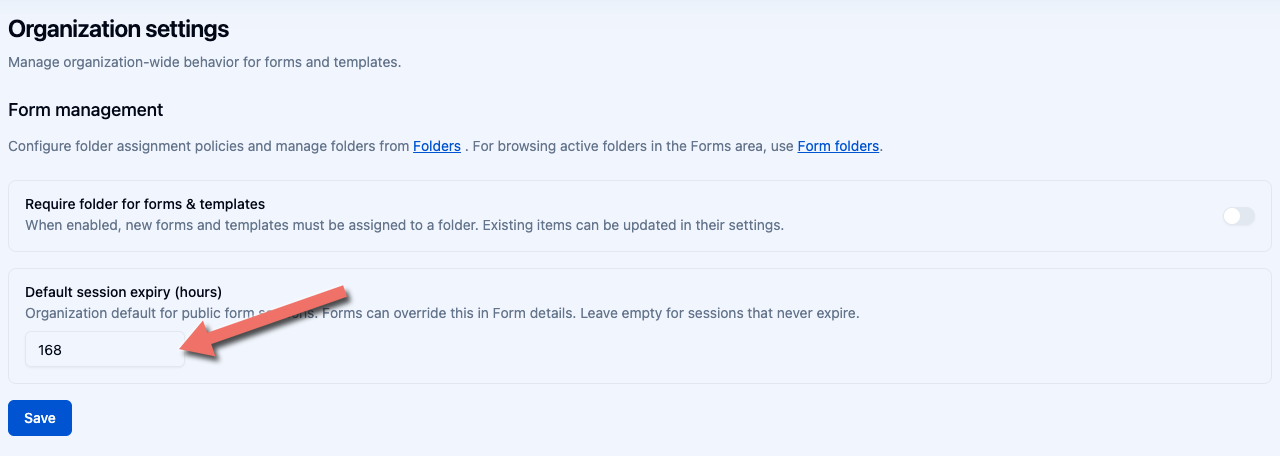
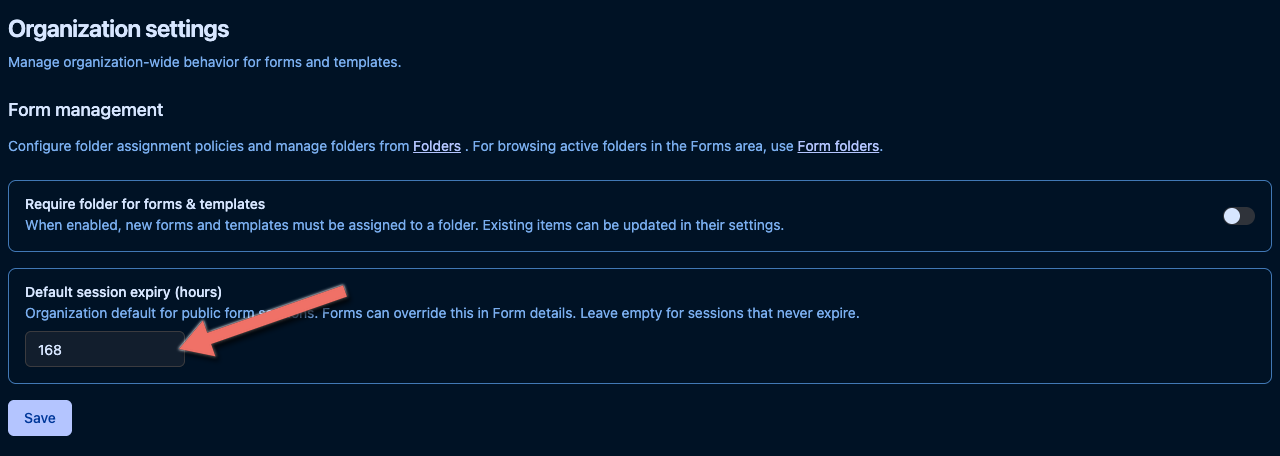
- Open Settings → Organization → Forms in the Hub sidebar.
- Find Default session expiry (hours).
- Enter a positive whole number of hours, or leave the field empty.
- Click Save.
| Value | Meaning |
|---|---|
| Empty | Sessions never expire — partial submissions stay resumable indefinitely. |
A number (for example 48) | Partial submissions can be resumed for that many hours after the respondent's last save. |
Forms without their own override pick up the new default immediately for the next respondent save.
Per-form override
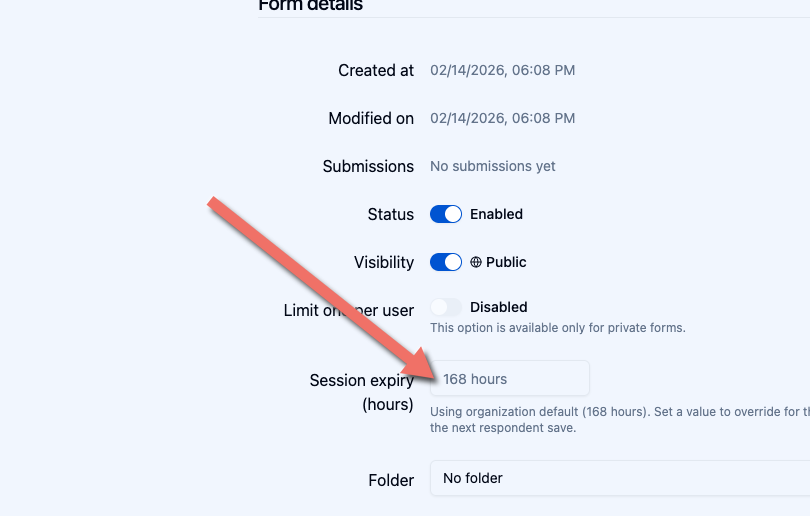
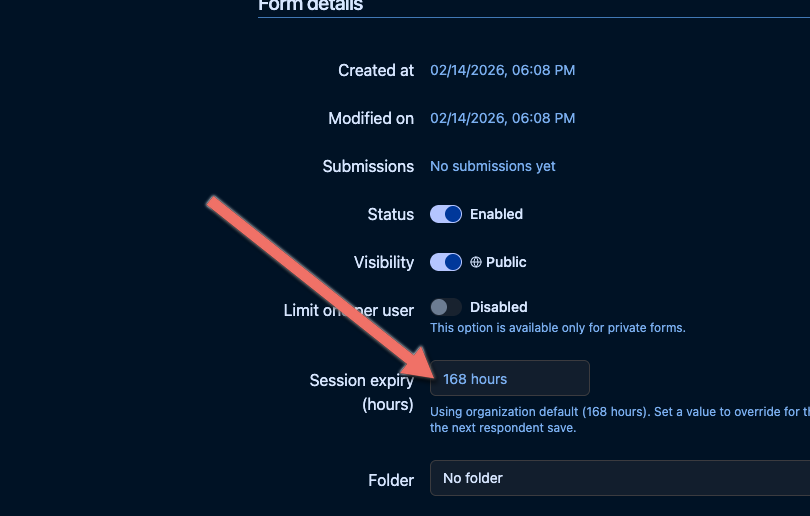
Open a form from the Forms list to view Form Overview. The Session expiry (hours) control shows whether the form inherits the organization default or uses an override.
Inherit the organization default
When the form is not overridden, helper text looks like Using organization default (24 hours) or Using organization default (never expires). The form follows the workspace policy.
Set a form-specific value
- Enter a positive whole number in Session expiry (hours).
- Click Save.
Helper text changes to Override active… and the value applies only to this form.
Restore the organization default
When an override is active, click Restore default next to the field. That clears the per-form value so the form inherits the organization default again.
How it affects respondents
- A respondent opens a public or private form and starts answering.
- If they leave before submitting, Endatix stores the partial answers with a resume token.
- If they return within the session expiry window, Endatix recognizes the token and continues the same submission.
- If they return after the window has passed, the partial submission is discarded and a new submission starts.
Good to know
- Expiry is measured from the respondent's last save, not their first visit. Each successful save renews the window.
- Session expiry applies to respondent form sessions. It does not affect signed-in Hub users in the Form Builder or Submissions views.
- Changing the organization default or a per-form override does not immediately expire in-progress sessions. Updated values apply on the next respondent save.
- Use a blank organization default when you want indefinite resume for forms that inherit it.
Related documentation
- Forms — form management in Endatix Hub
- Form Builder — designing form content
- Administration — workspace-level settings